Developer

Customer

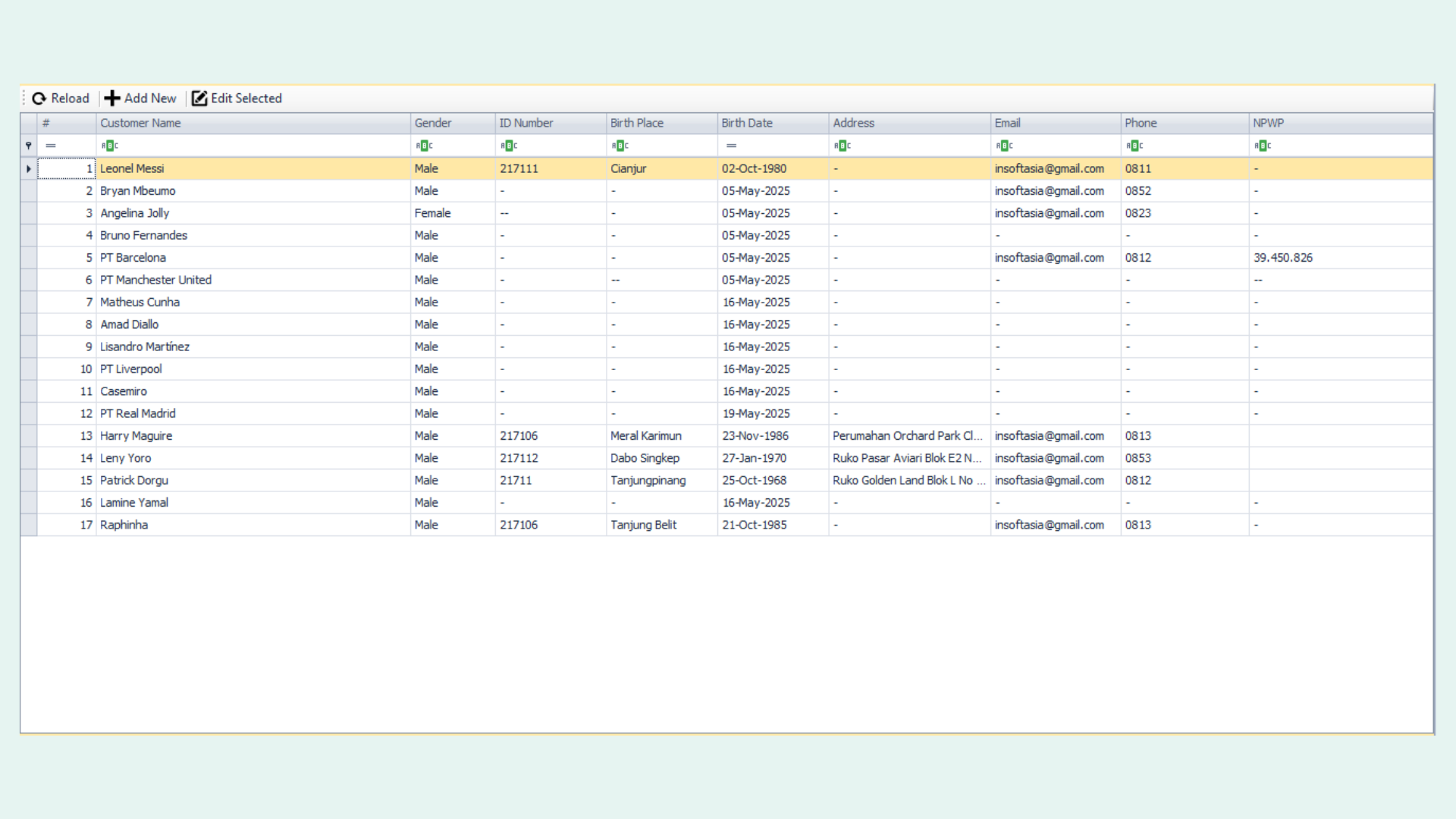
This form is used to input comprehensive customer data, including all relevant identification details. The information will be stored and reused for transaction processing and other related operations.

Sale Order

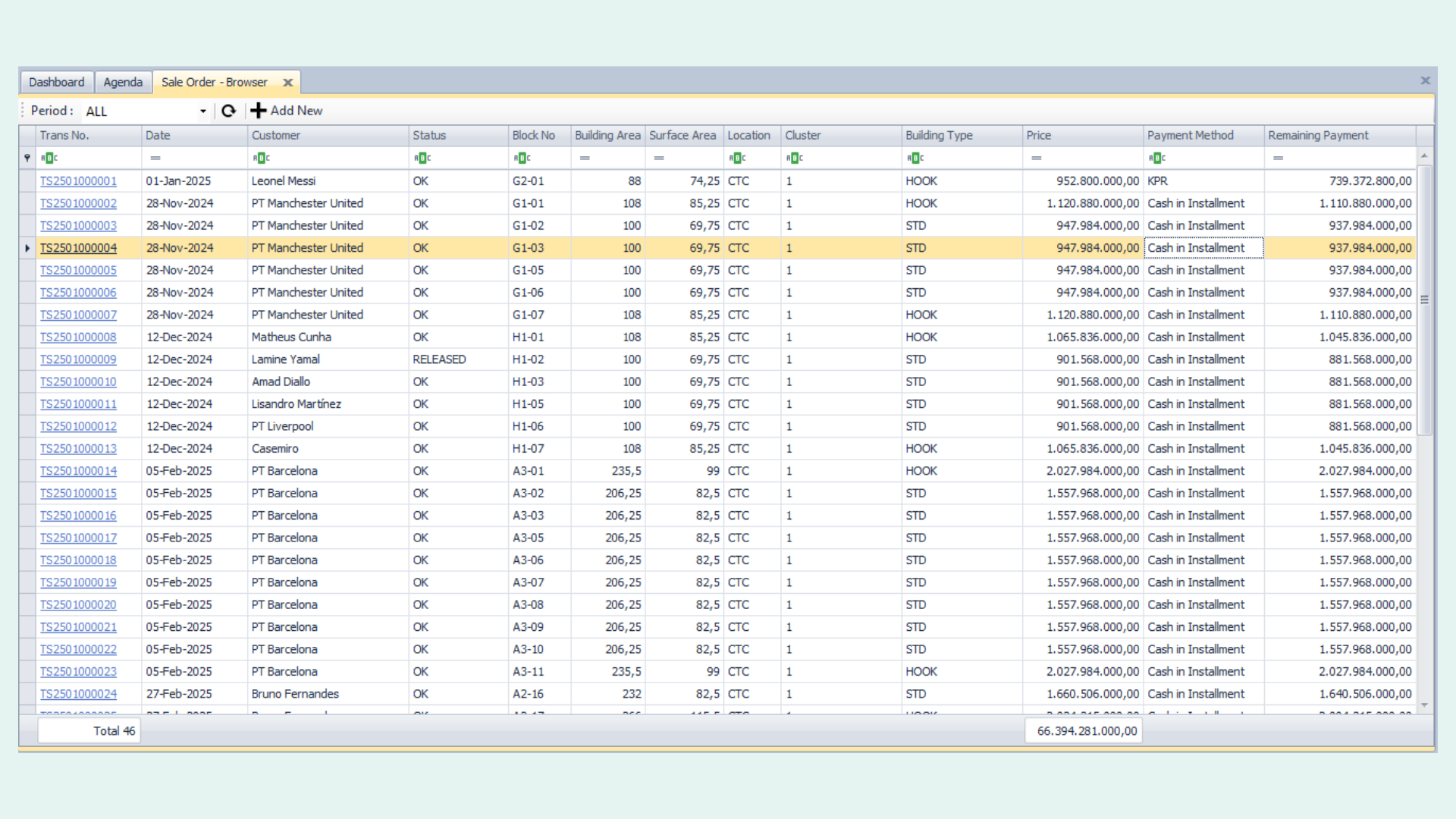
This page displays all recorded transactions in a structured list. Users can create new transactions, review previous transaction statuses, and access detailed information related to each order.

Cost

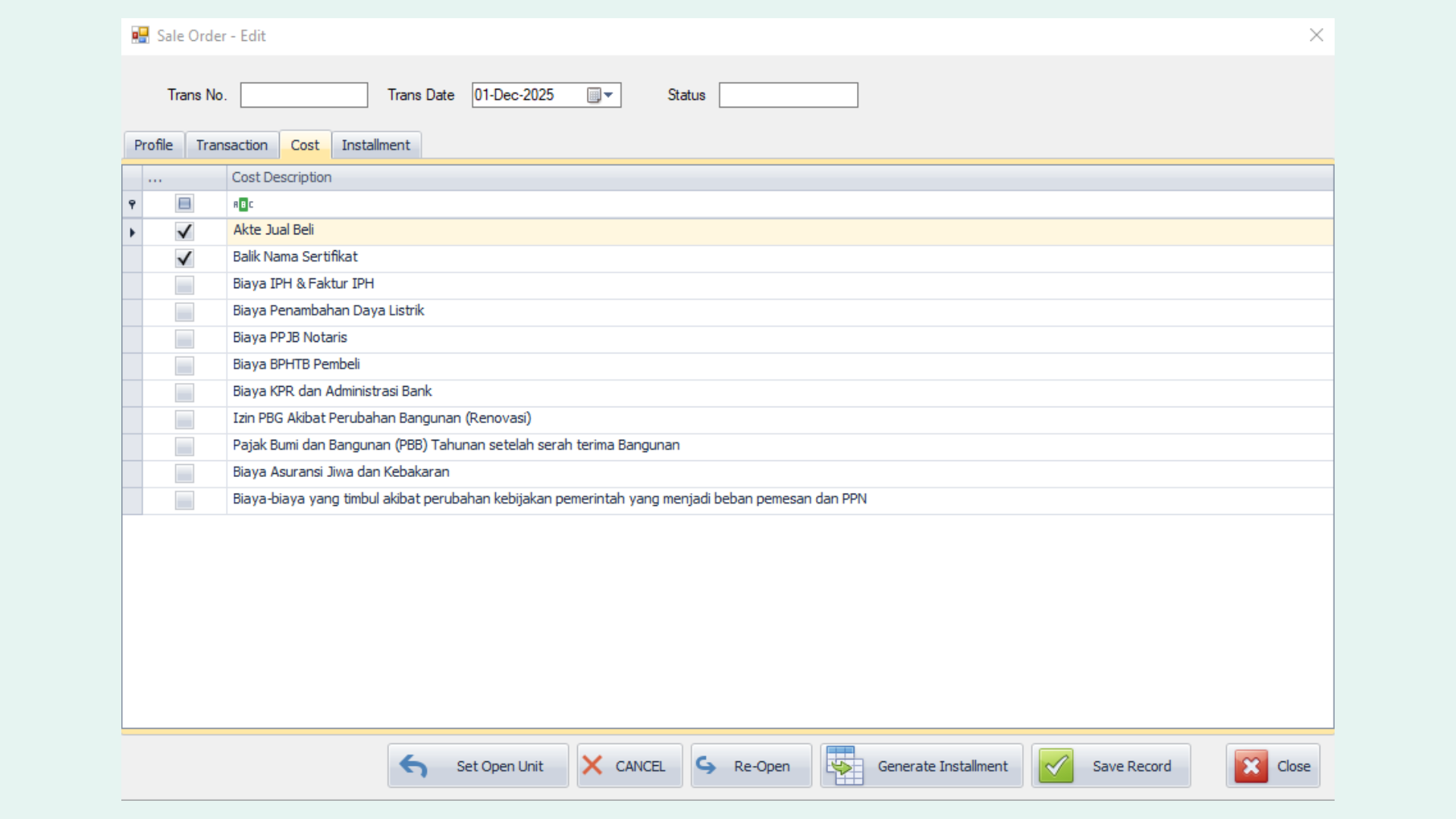
This section contains information about additional costs or benefits provided by the developer to the customer during the transaction. Each item can be selected based on the agreed benefits or requirements, ensuring flexibility and transparency in cost allocation.

Master Unit
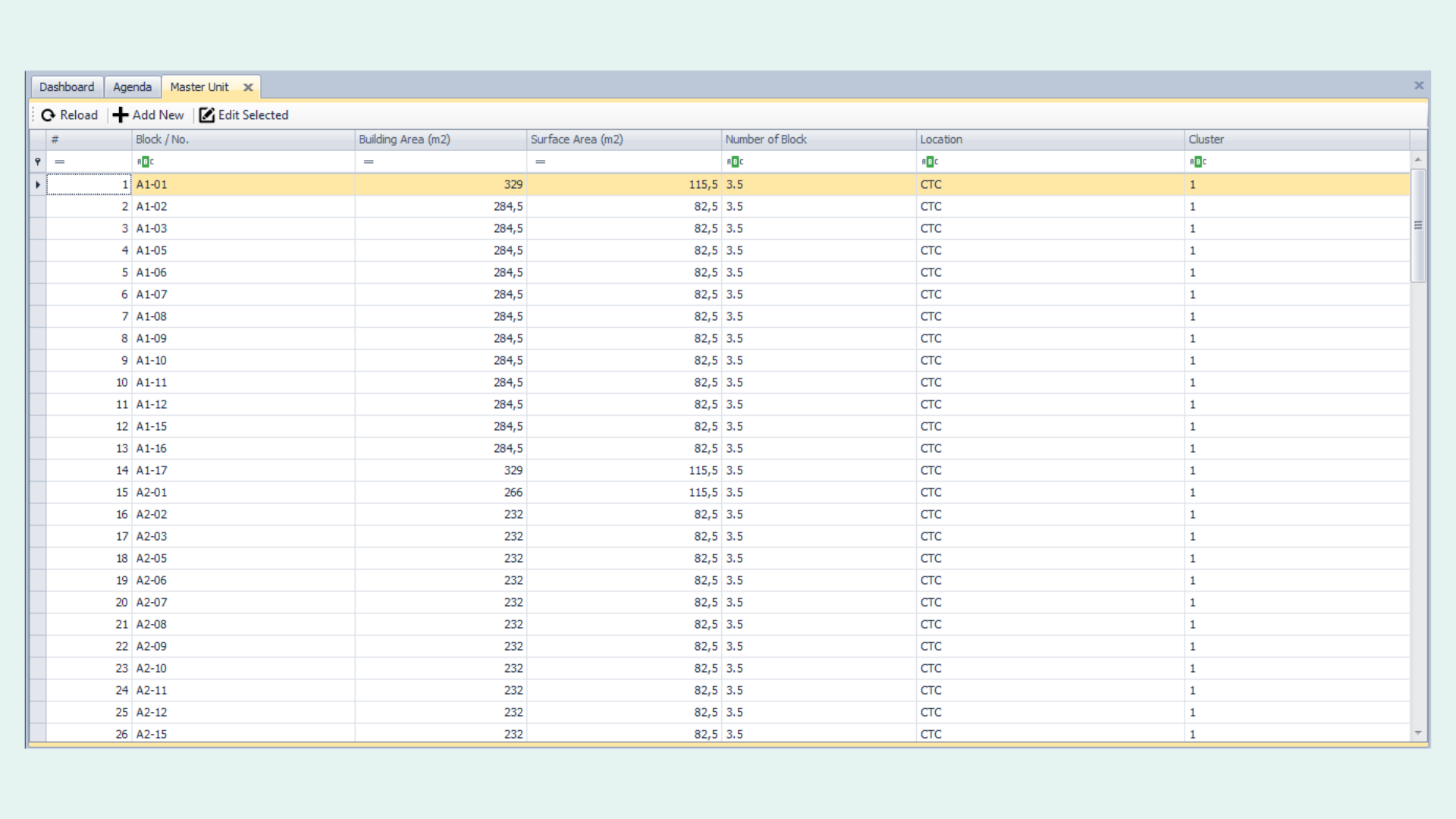
This form is used to input and manage all unit data available for sale, including unit number, building area, surface area, and other relevant property details.

Transaction

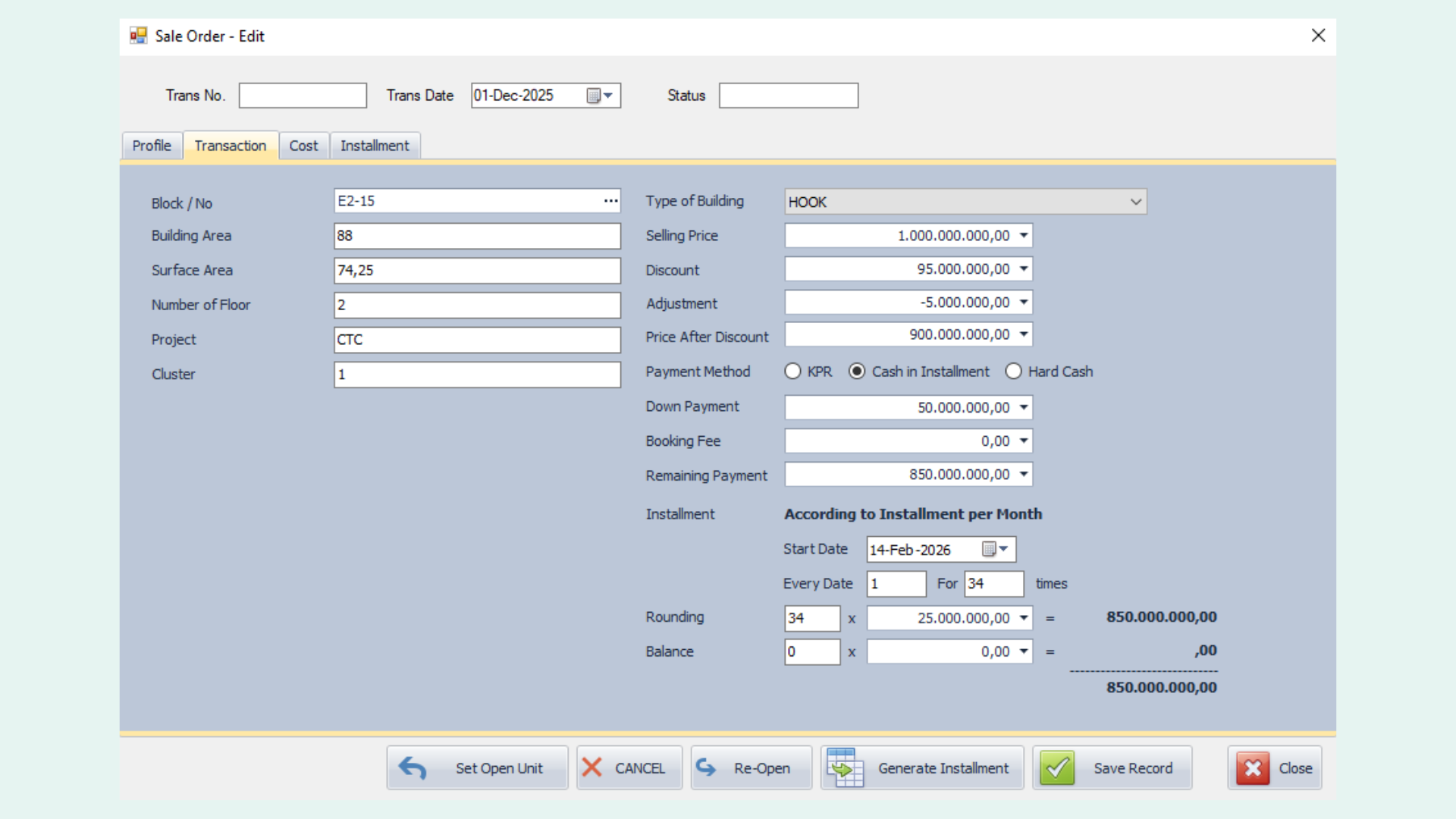
The transaction module supports multiple payment methods to accommodate different customer needs. Customers can choose a mortgage (KPR) option, where the down payment can be paid in installments over a specified period.

Alternatively, the Cash in Installment method allows customers to pay an initial down payment (DP), followed by monthly installments. This option provides more flexible payments, although the total cost may be higher.

For customers who prefer a faster settlement, the Hard Cash method is available, enabling full payment within a short period, typically with a more significant discount.

This flexibility ensures that the system can adapt to various purchasing preferences and financial plans.

Installment

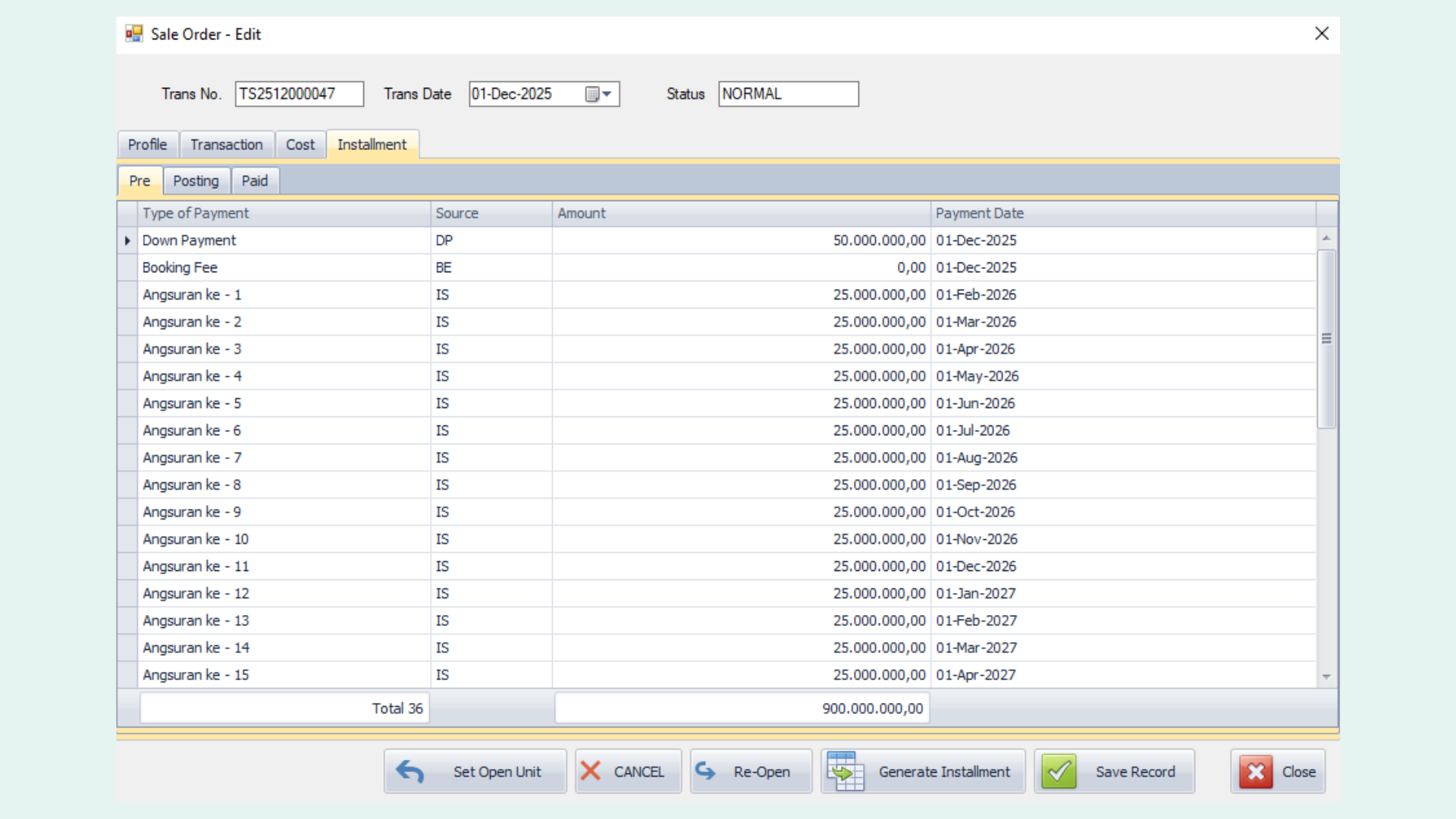
This section provides a detailed breakdown of the installment schedule based on the previously entered transaction. It displays key information such as payment amounts and scheduled payment dates for each installment period, ensuring clear and structured payment tracking.